Free
$0
- Steps and sleep from Google Health to Apple Health
- Manual sync
- No account needed
Try it with real data
Health Sync: Tandeo
Fitbit data now lives in Google Health. Tandeo is the two-way bridge between Google Health and Apple Health, running entirely on your iPhone or iPad.
Coming soon to the App Store
For iPhone and iPad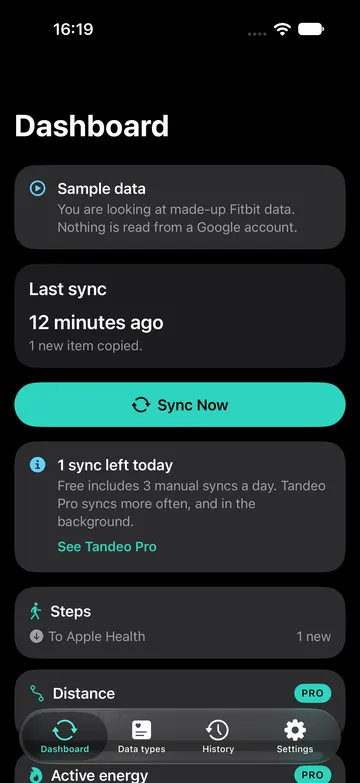

Fitbit data now flows through the Google Health API, so connections built on the old Fitbit service need to be set up again. Tandeo connects to Google Health directly and keeps it in step with Apple Health, in the direction you choose, without a middleman holding your data.
Sign in with the Google account your Fitbit data lives in and approve exactly the data you want Tandeo to use.
Choose which data types to sync and in which direction: Google Health to Apple Health, Apple Health to Google Health, or both.
Tap sync, or let Tandeo do it in the background with Lifetime. Everything happens on your device.
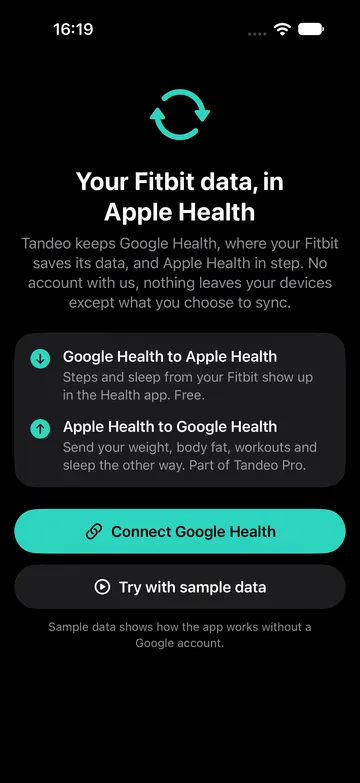
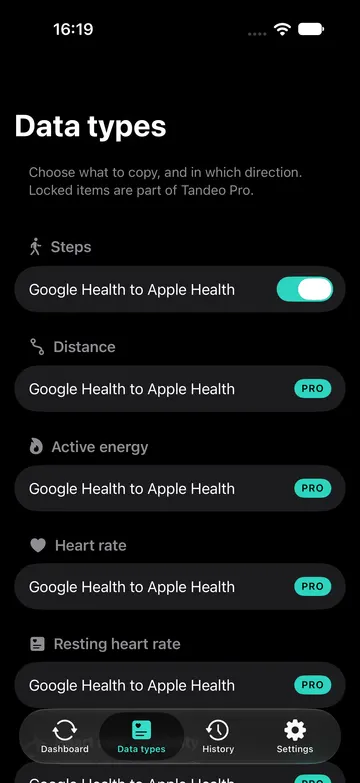
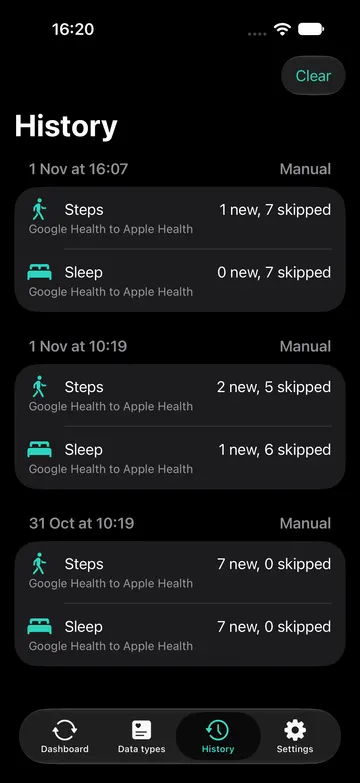
The same sync, sized for your screen. Connect once and Tandeo works on both.
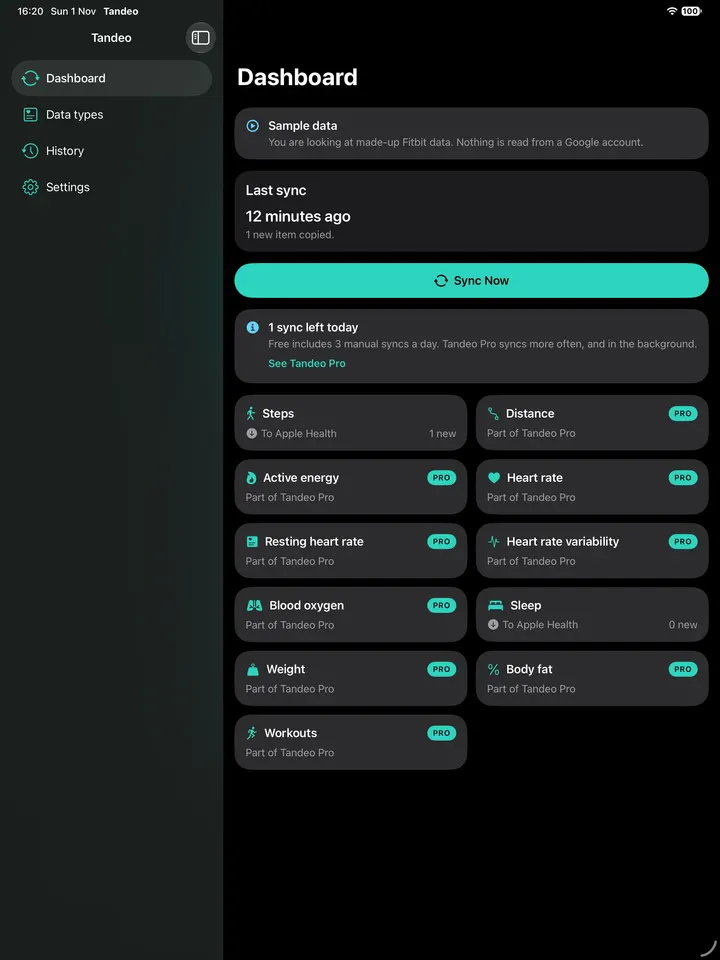
Here is what syncs, and which way. Free covers steps and sleep from Google Health to Apple Health. Pro and Lifetime unlock everything below.
| Data type | Google Health to Apple Health | Apple Health to Google Health |
|---|---|---|
| Steps | Syncs | Not available |
| Distance | Syncs | Not available |
| Active energy | Syncs | Not available |
| Heart rate | Syncs | Not available |
| Resting heart rate | Syncs | Not available |
| Heart rate variability (HRV) | Syncs | Not available |
| Blood oxygen | Syncs | Not available |
| Sleep (with stages from Google Health) | Syncs | Syncs |
| Weight | Syncs | Syncs |
| Body fat | Syncs | Syncs |
| Workouts | Syncs | Syncs |
Google Health does not accept steps or heart rate data from other apps, so those only sync from Google Health to Apple Health.
Choose a subscription, or pay once for Lifetime. Prices are charged through the App Store.
$0
Try it with real data
Popular
$2.99 / month
or $14.99 / year
Yearly includes a 1-week free trial. Auto-renews until cancelled. Prices shown in your currency in the App Store.
Best value
$29.99
one-time purchase
Pay once, no renewal. Price shown in your currency in the App Store.
Tandeo has no backend. It talks to Google Health and Apple Health directly from your phone.
Your health data never passes through servers we run, because we do not run any for it.
You sign in to Google to connect your data. There is nothing to register with Tandeo.
We never measure, log or profile your health values. Anonymous usage and crash reports go through Google Firebase, and you can turn them off in Settings. No ads, nothing is sold.
Your Google sign-in tokens are kept in the iOS Keychain, and you can disconnect at any time.
Straight answers on syncing Fitbit with Apple Health after the move to Google Health.
Fitbit data now lives in Google Health. See why old Fitbit-to-Apple-Health links broke and your options for syncing Fitbit with Apple Health, and back.
Can you send Apple Health data to Fitbit? Weight, body fat, workouts and sleep can go to Google Health. Steps and heart rate cannot. Here is how.
Fitbit not syncing with Apple Health? The old Fitbit API was switched off on 2 Nov 2026. Here is how to fix it and reconnect via Google Health.
Google Health is where Fitbit data now lives. See how it differs from Apple Health, what the Google Health API changes, and how to keep both in step.
Compare Fitbit and Google Health to Apple Health sync apps for iPhone by direction, Google Health sign-in and pricing. Honest limits included. Nov 2026.
Fitbit data is now served through the Google Health API, and the old Fitbit web connection was turned off on 2 November 2026. Connections made through the old service do not carry over, so you sign in once with your Google account in Tandeo and approve access again.
With Lifetime, Tandeo asks iOS to sync in the background. iOS decides when that actually runs, based on battery, connectivity and how often you use the app, so timing is not guaranteed and can be delayed. You can always open Tandeo and sync manually.
Tandeo keeps track of what it has already written in each direction so the same record is not copied back and forth. If another app also writes the same data to Apple Health, Apple Health combines sources using its own priority list, which you can change in the Health app under Data Sources & Access.
Purchases and subscriptions are handled by Apple. Request a refund at reportaproblem.apple.com, and cancel a subscription in iOS Settings under your name, then Subscriptions, at least 24 hours before it renews. We cannot issue refunds ourselves, but we are happy to help if something goes wrong.
Your health data is never sent to us: syncing happens on your device. Tandeo does send anonymous usage events and crash reports through Google Firebase, never containing health values, and you can turn this off in Settings under Share anonymous usage data. See the privacy policy for details.
No. Tandeo is an independent app from Minima Apps Ltd and is not affiliated with or endorsed by Google, Fitbit or Apple.
Free to try. Upgrade with Pro or a single Lifetime purchase.
Coming soon to the App Store